Drop the plat under the plot.
Bring a plat, an aerial, or a survey scan onto the canvas as a layer, place it under or over your geometry, and compare what the record shows against what you plotted. Image overlay layers come with Professional.
From a scan on your desk to a layer on the canvas
Upload the image, put it where it belongs, then treat it like any other layer.
Upload the image as a layer
Add a plat, an aerial, or a survey scan and it becomes a layer in the project rather than a file you keep open in another window. Accepted file types and size limits: [placeholder: formats and max size].
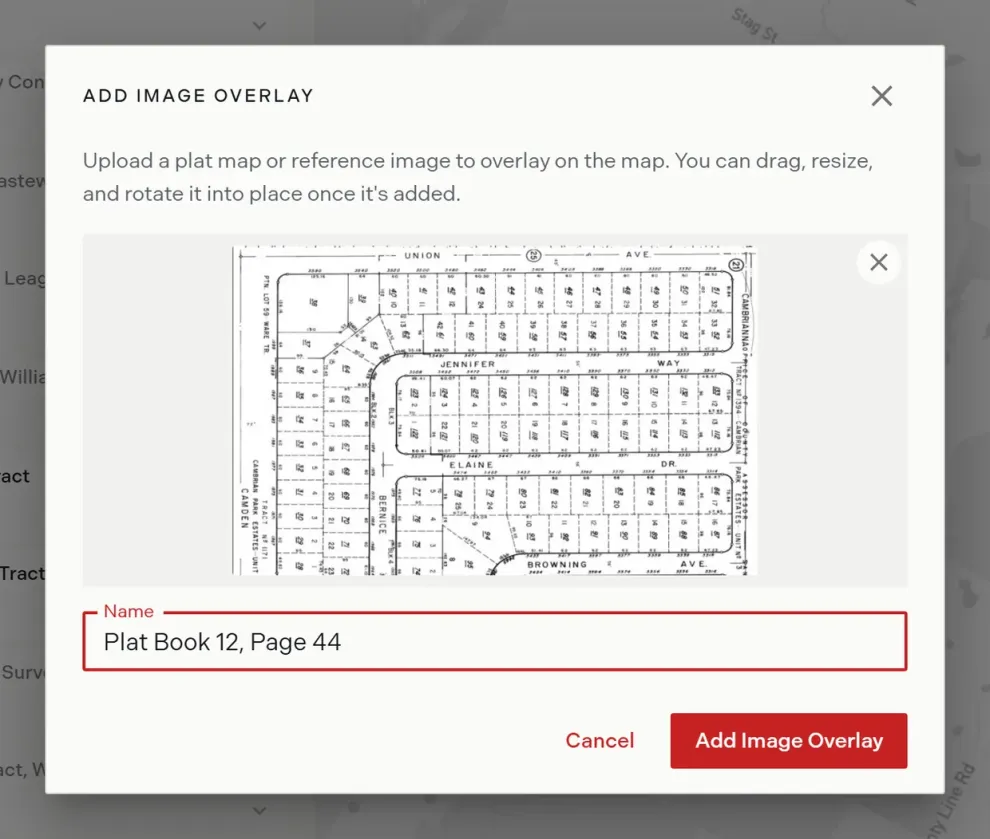
Place, scale, rotate, and set opacity
Move the image into position, scale and rotate it to line up with the plot, and set its opacity so you can read the geometry and the image at the same time. Rename it so the layer list stays legible.
Lock it and order it with your tract layers
Lock the image and it is no longer selectable or movable, so a stray drag cannot shift your reference. Reorder it in manage layers alongside tract layers to decide what draws on top.
What image overlay layers do
- Plats
- Aerials
- Survey scans
- [Placeholder: formats and max size]
- Place and move
- Scale and rotate
- Opacity
- Rename
- Lock
- Reorder in manage layers
- The map workspace
- Sheet view
- The plotting canvas
- Guest shares
- [Placeholder: PDF inclusion decision]
Image overlays, answered
Which plan includes image overlay layers?
Professional and above. They are not part of the free tier.
What kinds of images can I upload?
Plats, aerials, and survey scans are the intended use. [Placeholder: formats and max size.]
Where does the overlay show up?
In the map workspace, sheet view, the plotting canvas, and guest shares of a shared project link.
Do image layers appear in a PDF export?
[Placeholder: PDF inclusion decision.]
Can I stop an overlay from moving while I work?
Yes. Lock it. A locked image is not selectable or movable until you unlock it.
Does an overlay change my plotted geometry?
No. It is a reference layer you position yourself. The plotted calls and their checks are unchanged, and a professional still verifies the result.
Line the record up against your plot.
Image overlay layers come with Professional, alongside AI Automated Plotting and every format.