

Availability: All plans
Summary
Every tract Trace plots carries the same five checks: area, perimeter, closure error, precision, and the remainder back to the point of beginning. They update as you type, they ride the layer card in Manage Layers, and the closure report shows the arithmetic behind them.
Usage notes
Where the checks appear
Three places carry the same five figures.
- The tract card in the manual plotting results panel, which updates as you type.
- The layer card in Manage Layers, as a one line metrics readout of area, perimeter, misclosure and precision ratio.
- The closure report, which shows the departure and latitude components and the arithmetic that produced the ratio.
The first updates live as you type. The other two are the finished calculation, so the last digit can differ between them. How closure works covers why.
Reading the tract card
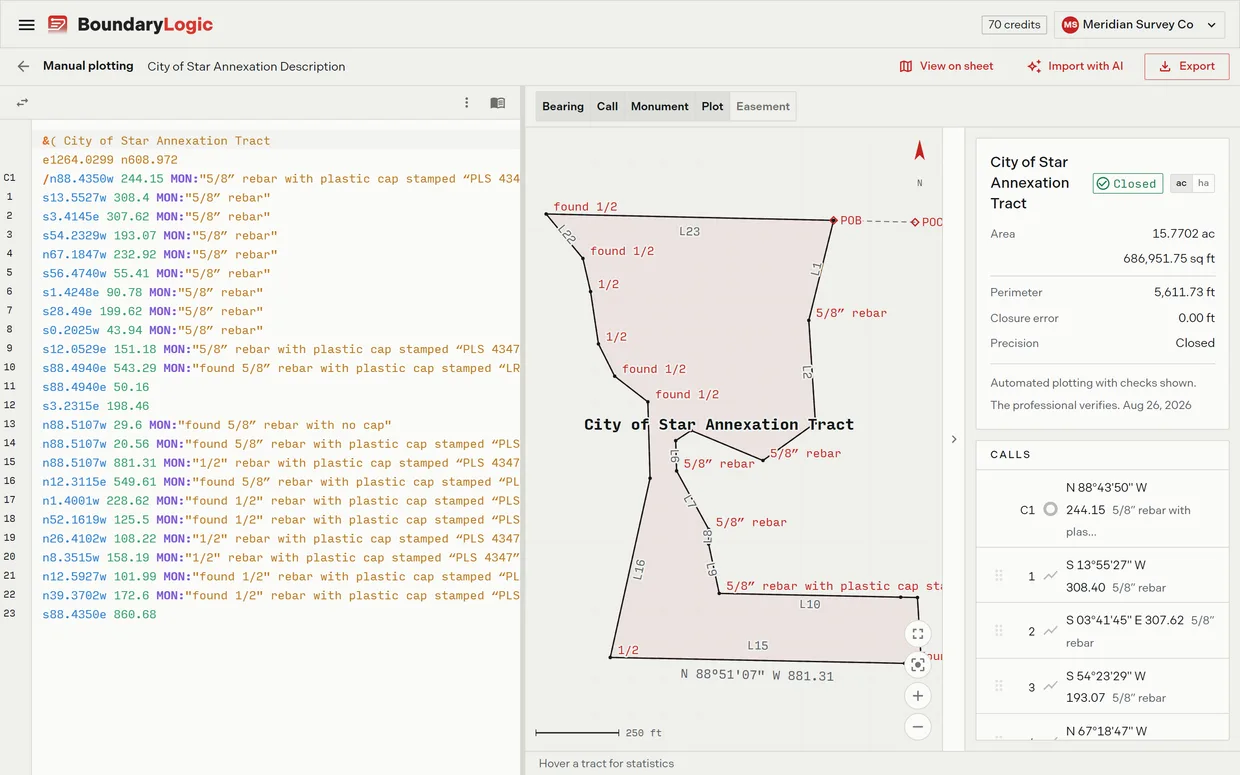
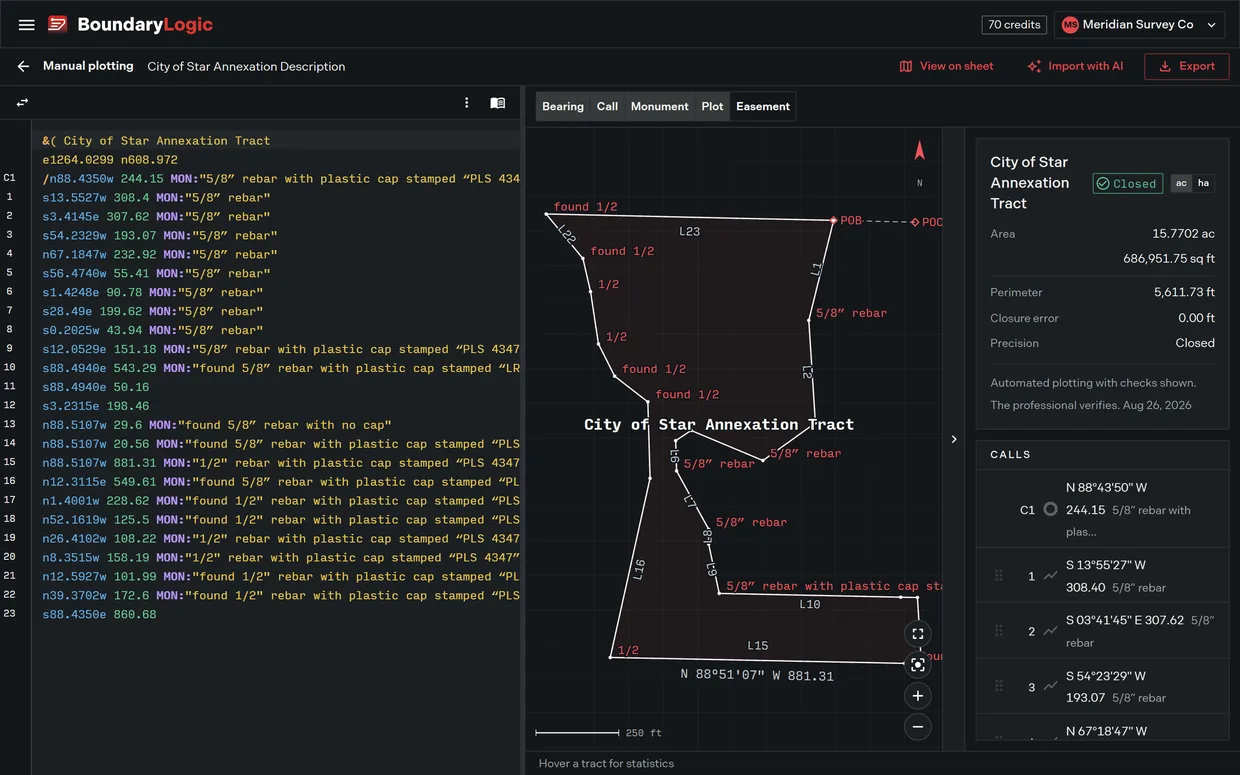
- The heading names the tract. When the document holds more than one drawable tract, a selector replaces the heading and the card follows your choice.
- The badge beside the name states closure as Closed or as a precision ratio, colored green at 1:5,000 or better, amber between 1:1,000 and 1:5,000, and red below 1:1,000.
- ac and ha restate area, perimeter and closure error in the other unit system.
- Area reads acres to four places over square feet.
- Perimeter measures once round the boundary, taking each curve along its arc.
- Closure error is the straight line distance from the end of the last course back to the point of beginning.
- Precision sets that error against the perimeter as a 1 in n ratio. Under 0.005 feet the card reads Closed instead of a ratio.
- Remainder to POB appears as a badge once the closure error reaches 0.005 feet, and gives the bearing and distance that would close the traverse.
- Diagnose closure appears only while the precision is worse than 1 in 1,000.
- The card ends with the line “Automated plotting with checks shown. The professional verifies.” and the date.
A tract that does not close
The card carries a failing traverse without changing shape. A tract reading 0.1036 ac over 4,514.91 sq ft, with a perimeter of 1,336.99 ft, a closure error of 212.18 ft and a precision of 1:6, turns the badge red, gives a remainder of N 89 22 13 W 212.18 ft, and offers Diagnose closure.
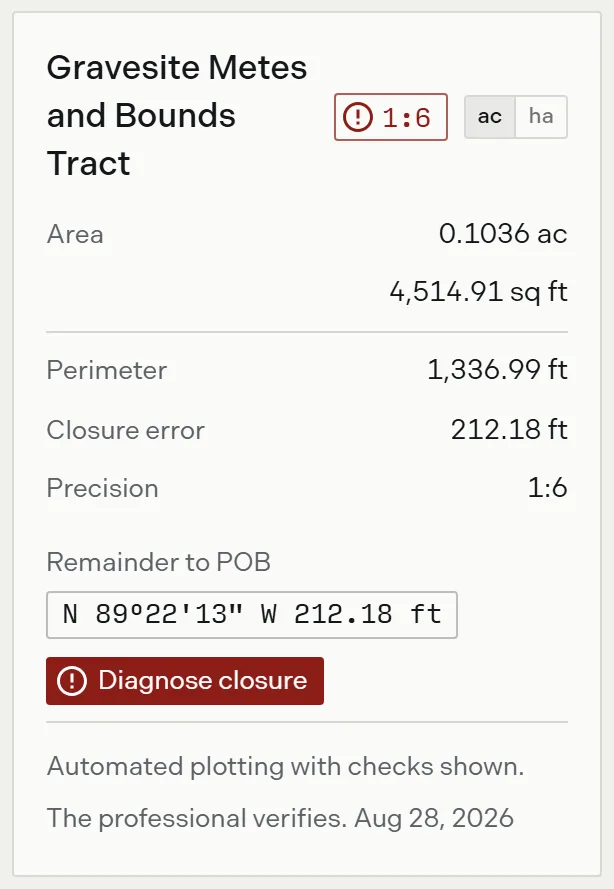
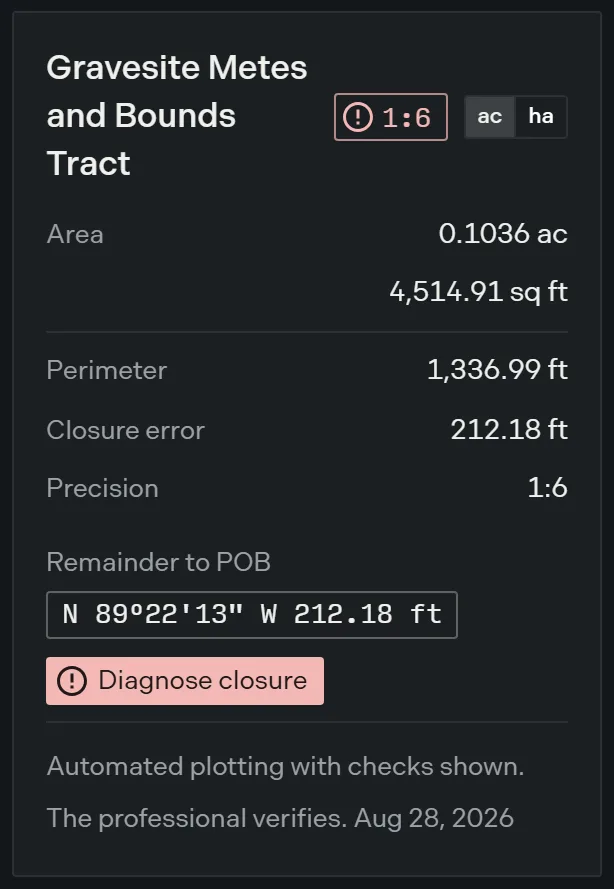
A 212 foot remainder on a 1,337 foot perimeter points at a whole call being wrong rather than at rounding. Diagnose a closure problem covers the next step, and Reading the precision ratio covers what the number does and does not tell you.
Before any calls land
An empty results panel reads “Type deed calls to plot a tract. Results appear here.” A tract that is declared but still has no courses names itself: “Tract A” has no calls yet. Type its courses in the editor to draw it.
Centerline easements
A description that runs a centerline and states a width does not close, so closure error, precision and the remainder do not apply to it. The card drops those figures, reports the easement area in their place, and says “Open centerline traverse. No closure figures.” The closure badge is absent. The corridor report gives the centerline length, the station count and the width table.
Options
| Readout | What it gives you |
|---|---|
| Closure badge | Closed, or the precision ratio, color coded |
| ac / ha | Acres and feet, or hectares and meters |
| Area | Acres to four places over square feet |
| Perimeter | The distance once round the boundary, curves measured along the arc |
| Closure error | The linear misclosure, in feet |
| Precision | Relative precision as 1 in n, or Closed |
| Remainder to POB | The bearing and distance that would close the traverse |
| Diagnose closure | Candidate single call edits, offered below 1 in 1,000 |
Related
- The closure report, for the full misclosure arithmetic
- Reading the precision ratio, for what a given ratio means
- How closure works, for the traverse math behind the checks
- Diagnose a closure problem, for narrowing down a bad call
- The manual plotting workspace, for the panel the card sits in