

Availability: All plans. Role: edit access on the project.
A boundary can be typed as coordinates rather than as calls: an origin line, then a vertex line for each corner. BoundaryLogic Trace has a command for that: Coords to calls rewrites those vertex lines as bearing and distance calls, so the document reads the way the record does and the calls list has courses to show.
Before you start
- The document has to hold coordinate derived courses. The command is only on the toolbar while it does.
- The conversion rewrites the editor text, so use Ctrl+Z if the result is not what you wanted.
Steps
- On the editor toolbar, click Coords to calls. Its tooltip reads Rewrite coordinate vertex lines as bearing and distance calls. At narrow widths it sits in the quick commands More options menu.
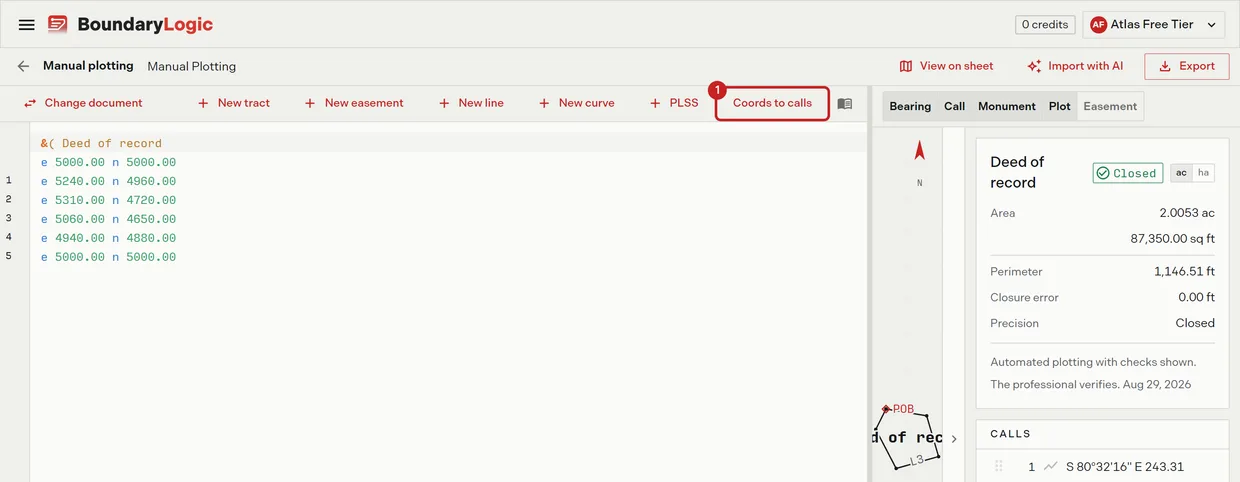
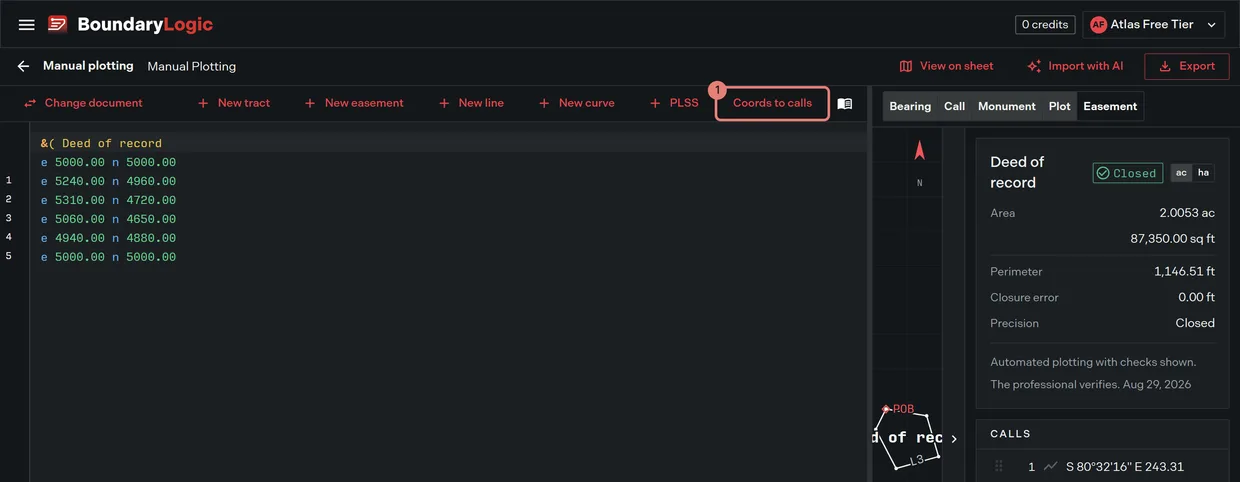
- Read the rewritten lines. Every coordinate vertex line is now a bearing and distance call, given a call number down the left side like any other call, and the plot is unchanged because the geometry did not move.
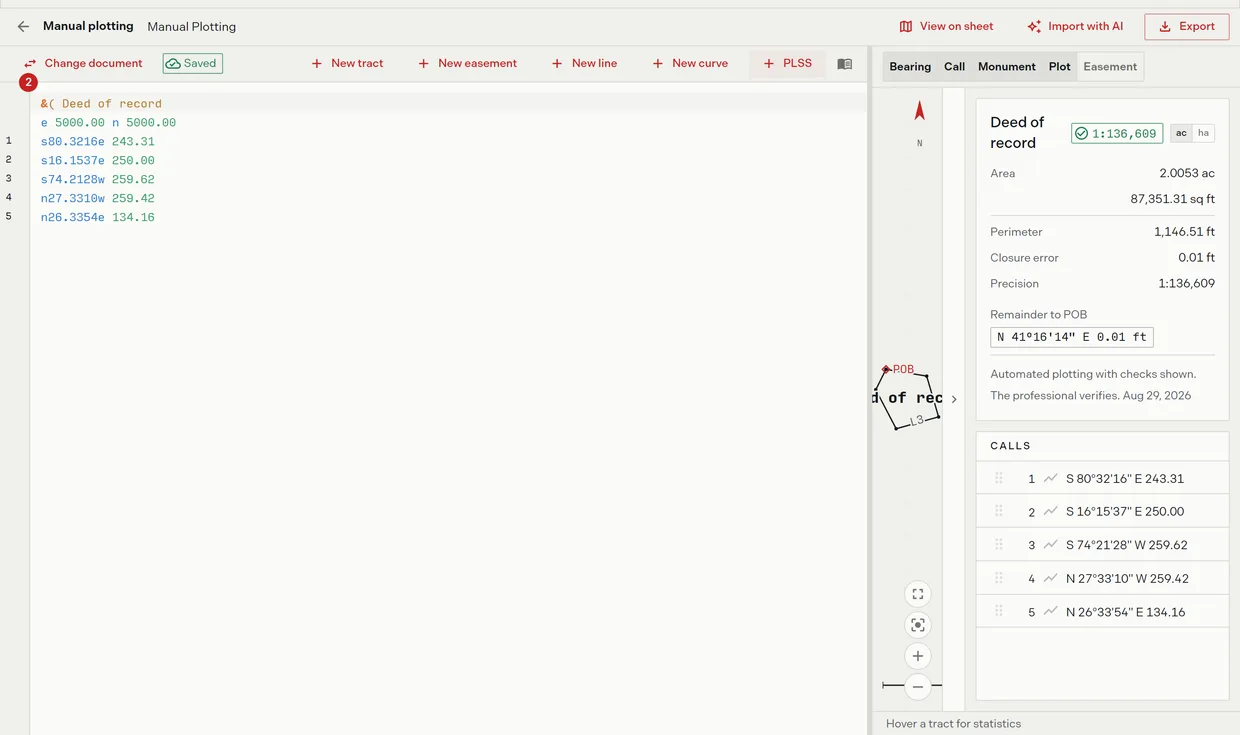
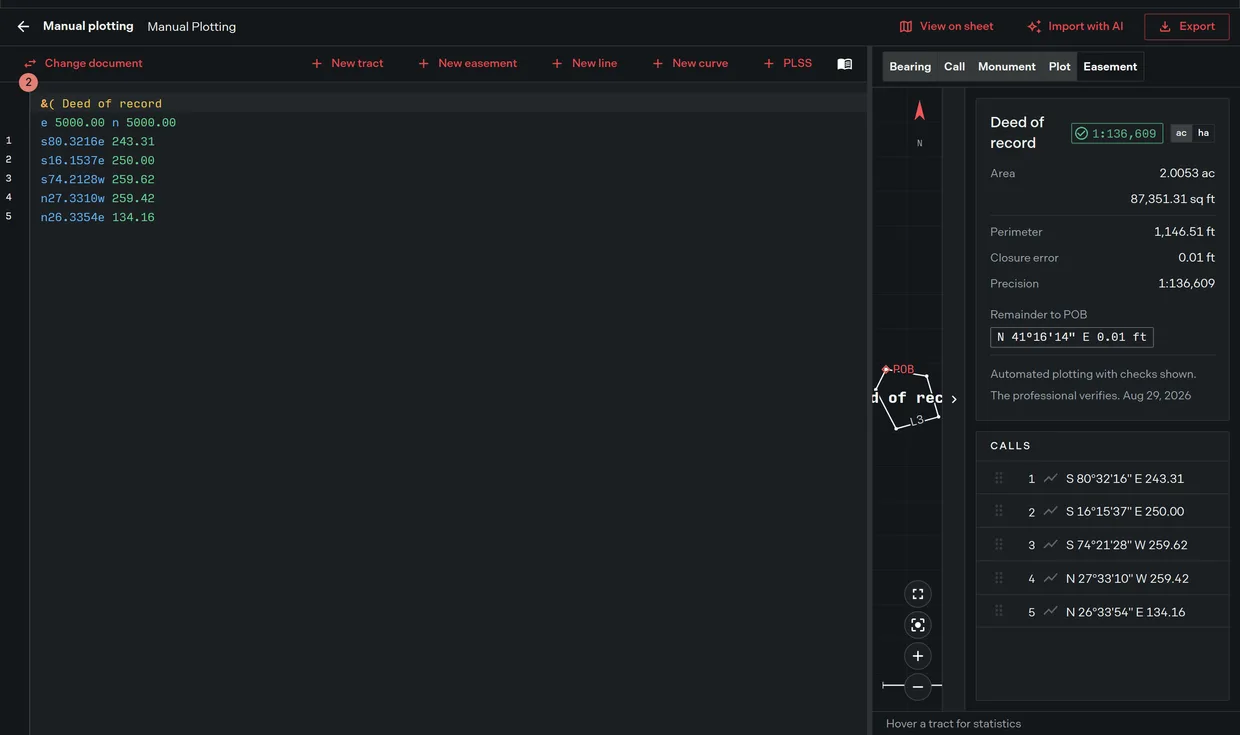
The command then leaves the toolbar, because there is nothing left to convert.
What the conversion does and does not change
Each coordinate vertex line already described a course from the previous point. The conversion states that course as a bearing and a distance instead of as an end point, so the geometry, the area and the closure are the same before and after. What changes is what you can read and edit: a call you can compare against the record line by line, rather than a coordinate you would have to inverse by hand.
Coordinate lines and the origin line are covered in Deed syntax reference, including the caution a coordinate boundary raises when its last coordinate does not return to the point of beginning.
Related
- Deed syntax reference, for coordinate lines and the calls they become
- The manual plotting workspace, for the toolbar and the calls list
- Editor tips and shortcuts, for undo and the More options menu