

Availability: All plans. Role: edit access on the project.
What you are seeing
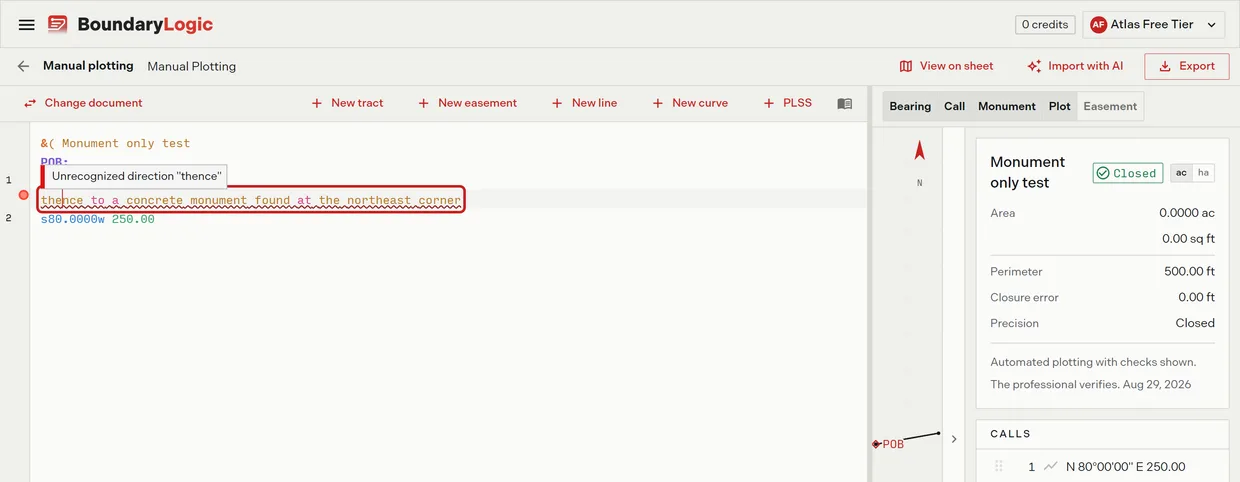
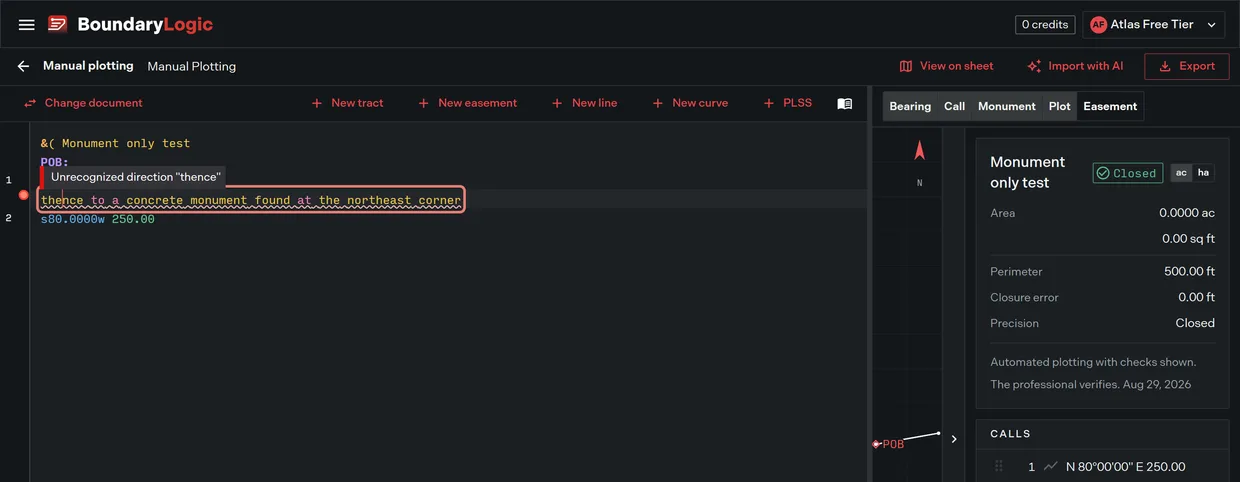
A line in the manual plotting editor carries a red error marker beside it and a wavy red underline. Hover the line or the marker and Trace names the problem. Put the cursor on the line and the same message reads out at the foot of the editor as Line n: <message>.
The commonest message by far is this one, with whatever word the line started with:
Unrecognized direction "thence"
Others you will meet: Unrecognized curve parameter "then", Missing distance, Invalid distance "...", Unknown distance unit "z", Invalid width table entry. Every message the editor returns is listed in the deed syntax reference.
Why it happens
The editor reads calls, not prose. It expects a direction and a distance, so a line that opens with a word from the deed is rejected on that first word. Two quite different situations produce the same marker:
- The course is there and it is typed in prose. Rewrite it as a call and it plots. This is most rejected lines.
- The course is not there at all. The description points at a creek, a neighbour, a street or another deed instead of giving a direction and a distance. No rewriting fixes that, because the measurement is not in the words. See Calls that reference something Trace cannot see.
The part that catches people out
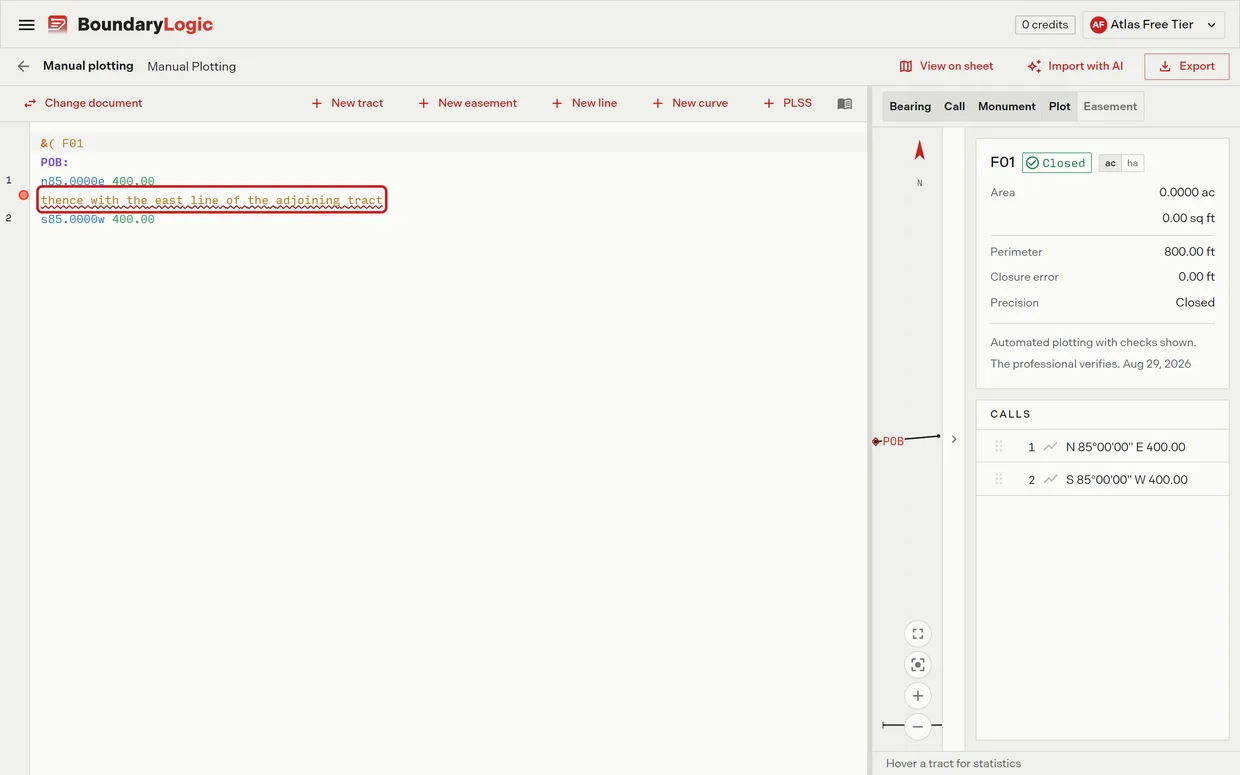
A rejected line is left out of the traverse, and the tract then reports its area, perimeter and closure as though that line had never been written. The figures are correct arithmetic for the courses that survived. They say nothing about the one that did not.
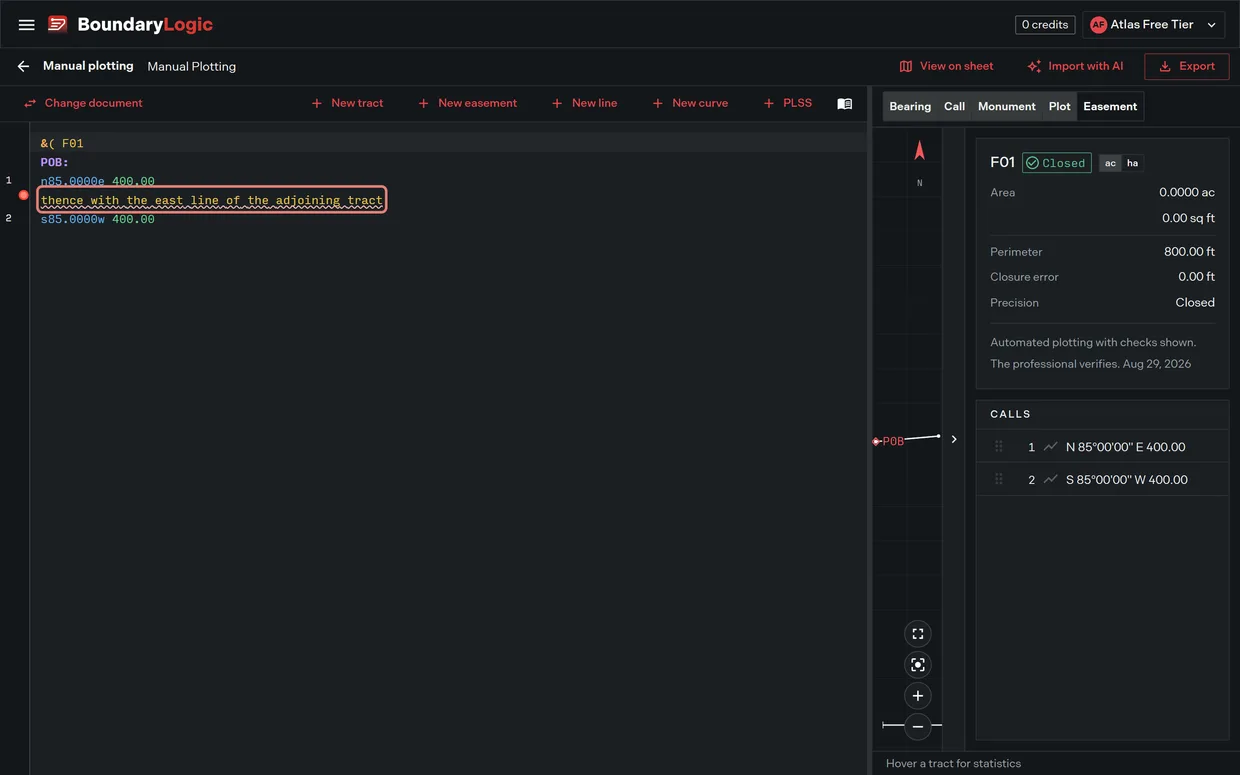
How obvious that is comes down to luck. Drop the third course of a four sided tract and the closure falls apart, which tells you at once. But where the rejected line sits between two courses that double back on each other, the traverse still returns to where it started, and Trace reports Closed in green with no closure error at all.
So a description missing a whole boundary line can read as closed. The closure reading answers “do the courses I read come back to the start”. It never answers “did I read all the courses”. Nothing in Trace compares the courses it plotted against the description in your hand.
Fix it
- Read the error markers before the figures. Scroll the whole description and note every line carrying one. The markers are the reliable signal; the closure reading is not.
- Put the cursor on a marked line and read the message at the foot of the editor to see exactly what Trace could not take.
- Count the courses. Set the numbered courses in the calls list against the courses in the document you are working from. A difference of one is the thing this page exists to catch.
- Rewrite each marked line as a call, where the description gives you a direction and a distance to work with. The deed syntax reference has every form.
- For a course the description never measured, resolve it from the source it points at, then type it. Where you cannot, Calls that reference something Trace cannot see says so plainly.
- Optional: where the missing course is the last one, closing back to the point of beginning, type a line holding only
?and Trace solves it from the courses around it. Use?L120or?R120for a missing curve of that hand and radius. One solved course is allowed per tract, and Trace marks it, because the solution is only as good as the other courses.
Keeping a line without plotting it
To leave a line in the document but out of the traverse deliberately, start it with #. It stays listed, struck through and dimmed, and counts toward nothing. A line starting // is a comment and is ignored entirely. Neither carries an error marker, which is the difference between a line you chose to leave out and a line Trace could not read.
If that did not work
- The line looks like a valid call but is still rejected: check the angle form. Degrees, then a decimal point, then two digits of minutes and two of seconds, so
n45.3020e, notN 45 30 20 E. - The whole tract reports
No calls yet. Type bearing and distance calls below this block to draw the tract.and nothing drew: no line under that header was readable. That is the honest outcome, and easier to spot than a partial plot. - The description came from a document rather than your typing: When a document will not process covers re-running it.
Related
- What Trace can and cannot plot, for the four outcomes
- Deed syntax reference, for every call form and every message
- Calls that reference something Trace cannot see, for courses the description never measured
- Curves Trace cannot plot as written, for a rejected curve
- How closure works, for what the closure figures do and do not cover