

Availability: All plans
Summary
The deed editor in the BoundaryLogic Trace manual plotting workspace is a code editor, and it behaves like one: multiple selections, a rectangular selection, real undo history, and completion inside a quoted string. This page covers the conveniences that are not obvious from looking at it, and the keyboard that drives them.
The map’s keyboard shortcuts are deliberately absent here, so nothing competes with typing. Keyboard shortcuts covers the map workspace instead.
Usage notes
The toolbar folds at narrow widths
When the toolbar row no longer fits, Change document and the manual plotter guide become icon buttons and the quick commands move into an More options menu. The menu holds the same set: New tract, New easement, New line, New curve, PLSS, plus Coords to calls when the document holds coordinate lines. The guide stays visible at every width, because it is what a stuck user reaches for first.
Opening the curve form from a curve line
Double-click a curve line, or put the cursor on it and press Ctrl+Enter. Either gesture opens the curve form prefilled from that line, and saving rewrites the line in place. Lines curves and calls covers the form.
Monument name completion
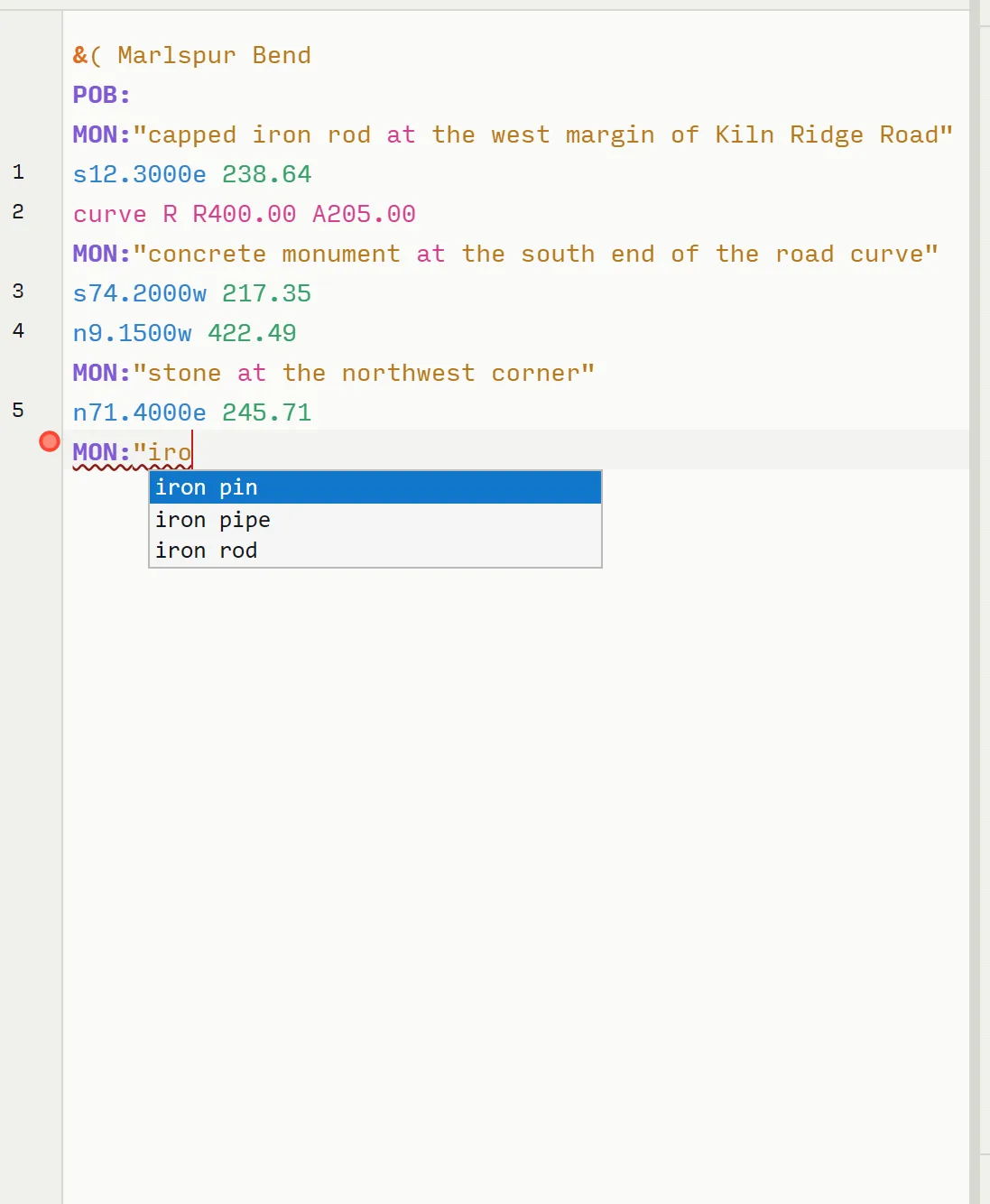
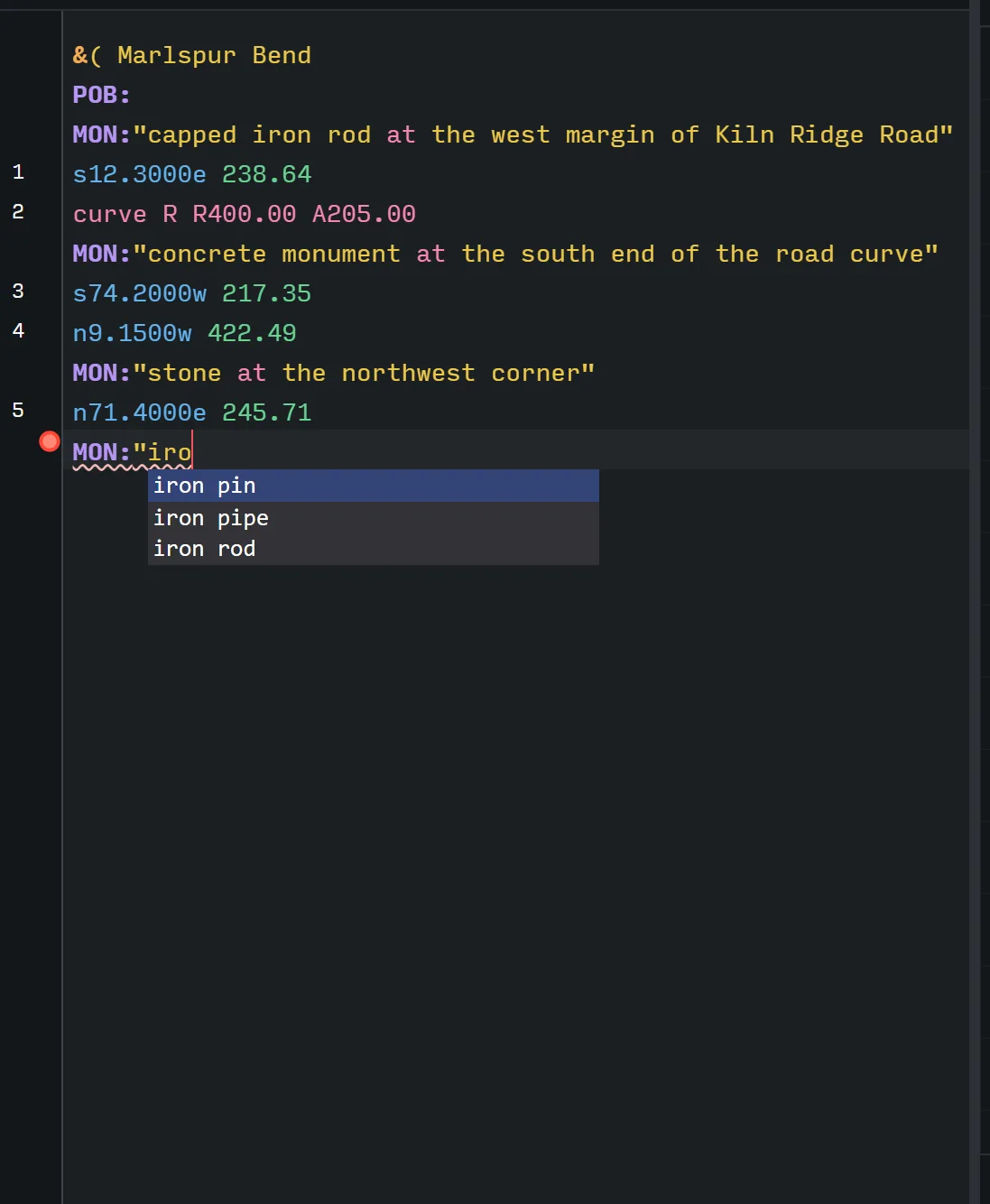
Inside an unclosed MON:" string, the editor offers the standard monument keywords and their aliases. Typing iro gives iron pin, iron pipe and iron rod; con gives concrete, concrete monument and concrete marker.
Tab or Enter inserts the name and closes the quoted string, stepping over a quote that is already there rather than doubling it. Escape closes the list and keeps whatever you typed, so a description the list does not offer is accepted as written. With no suggestion open, Tab moves focus to the next control instead of inserting a tab character.
Solved call hints
Put the cursor on a missing call line and the hint shows the call Trace would write, as Ctrl+Enter inserts n90w 200.00. Ctrl+Enter accepts it, replacing the marker with the computed call and taking the whole marker, including a missing curve’s hand and radius.
Comments and parked calls
Any line starting // is ignored when plotting, so notes and questions can live in the document beside the calls. To park a call you are unsure of rather than deleting it, prefix it with #: it stays in the document and in the calls list, struck through and dimmed, and out of the traverse, the closure and the area.
Deleting a tract
Deleting a tract’s block from the text deletes its legal description from the project, immediately and with no confirmation. That is the delete gesture, not an accident of editing, so treat a block selection near the delete key with the same care you would a project. Ctrl+Z undoes the text, and the description is rebuilt from it.
Selection and the caret
The cursor’s line is tinted so you can see where the status bar’s message is coming from. Hold Alt and drag for a rectangular selection, and hold the usual modifier to keep several ranges selected at once, which is the quickest way to fix the same mistake down a column of distances. After a quick command inserts a block, the cursor lands at the end of the document, where the next call goes.
Sheet view keeps your place
View on sheet hides the editor column rather than closing it, so your undo history, cursor and scroll position all survive the round trip. Escape brings it back exactly as you left it.
Theme
The editor, its line numbers and its syntax colours repaint with the rest of the application, so a dark theme carries through to the text you are typing.
Keyboard
| Keys | What they do |
|---|---|
| Ctrl+Z | Undo |
| Ctrl+Y, or Ctrl+Shift+Z | Redo |
| Ctrl+Enter on a missing call line | Insert the solved call |
| Ctrl+Enter on a curve line | Open the curve form, prefilled |
| Tab or Enter, with a suggestion open | Insert the monument name and close the string |
| Escape, with a suggestion open | Dismiss the list and keep your text |
| Tab, with no suggestion open | Move focus to the next control |
| Escape, in sheet view | Restore the editor and results panels |
| Alt and drag | Rectangular selection |
Related
- Deed syntax reference, for every call form the editor accepts
- The manual plotting workspace, for the panels around the editor
- Lines curves and calls, for the curve form these gestures open
- Keyboard shortcuts, for the map workspace